
Overwrite manager
Standard where possible, custom where necessary
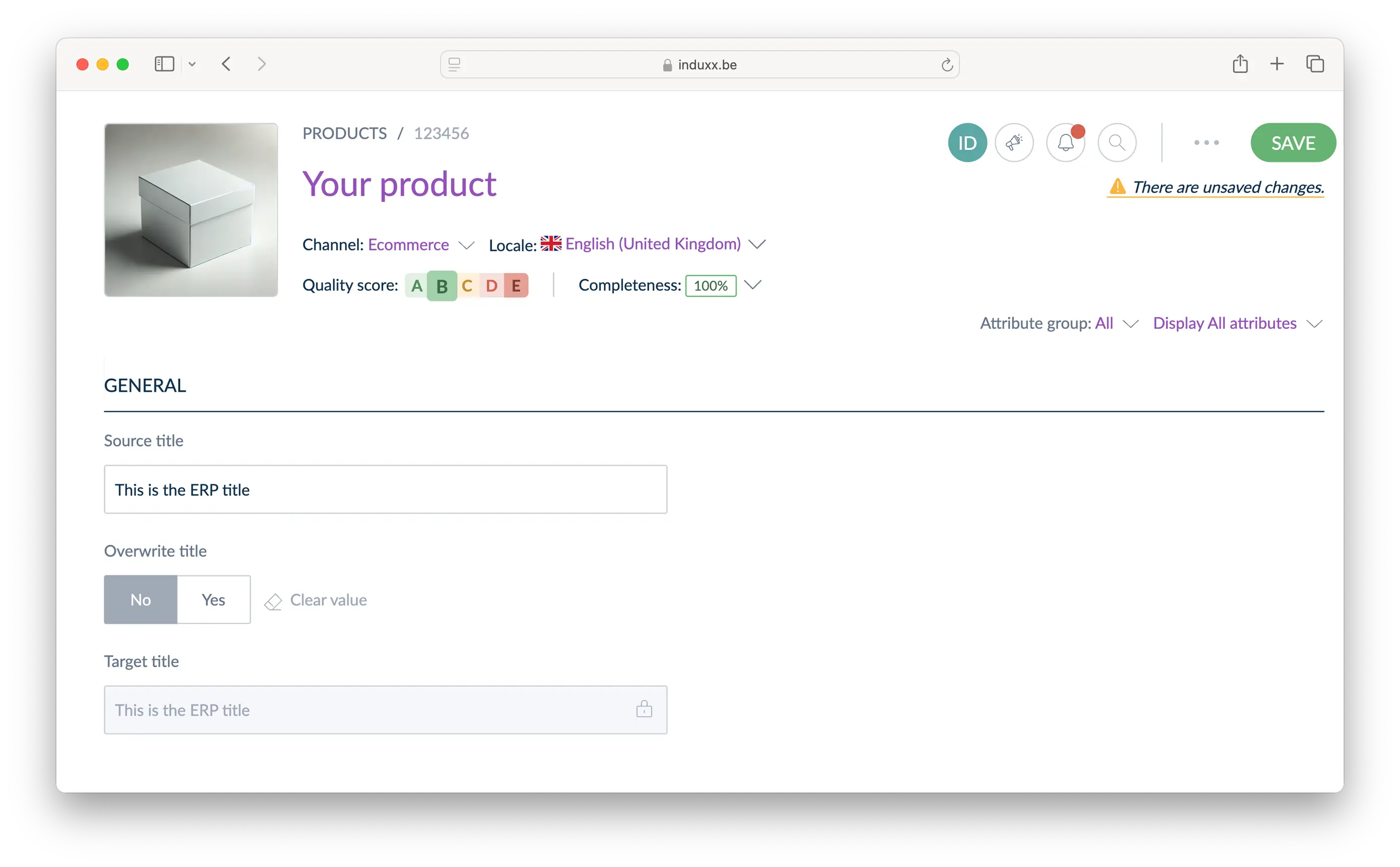
Keep your product information in sync with the source—whether it’s your ERP, an XLS/CSV import, or a third-party application. With our Overwrite Manager, you stay in control by manually overwriting specific fields per product without losing automatic updates from the source. This way, your information remains consistent and up to date, with the flexibility to apply exceptions where needed.
How does the Overwrite manager work?
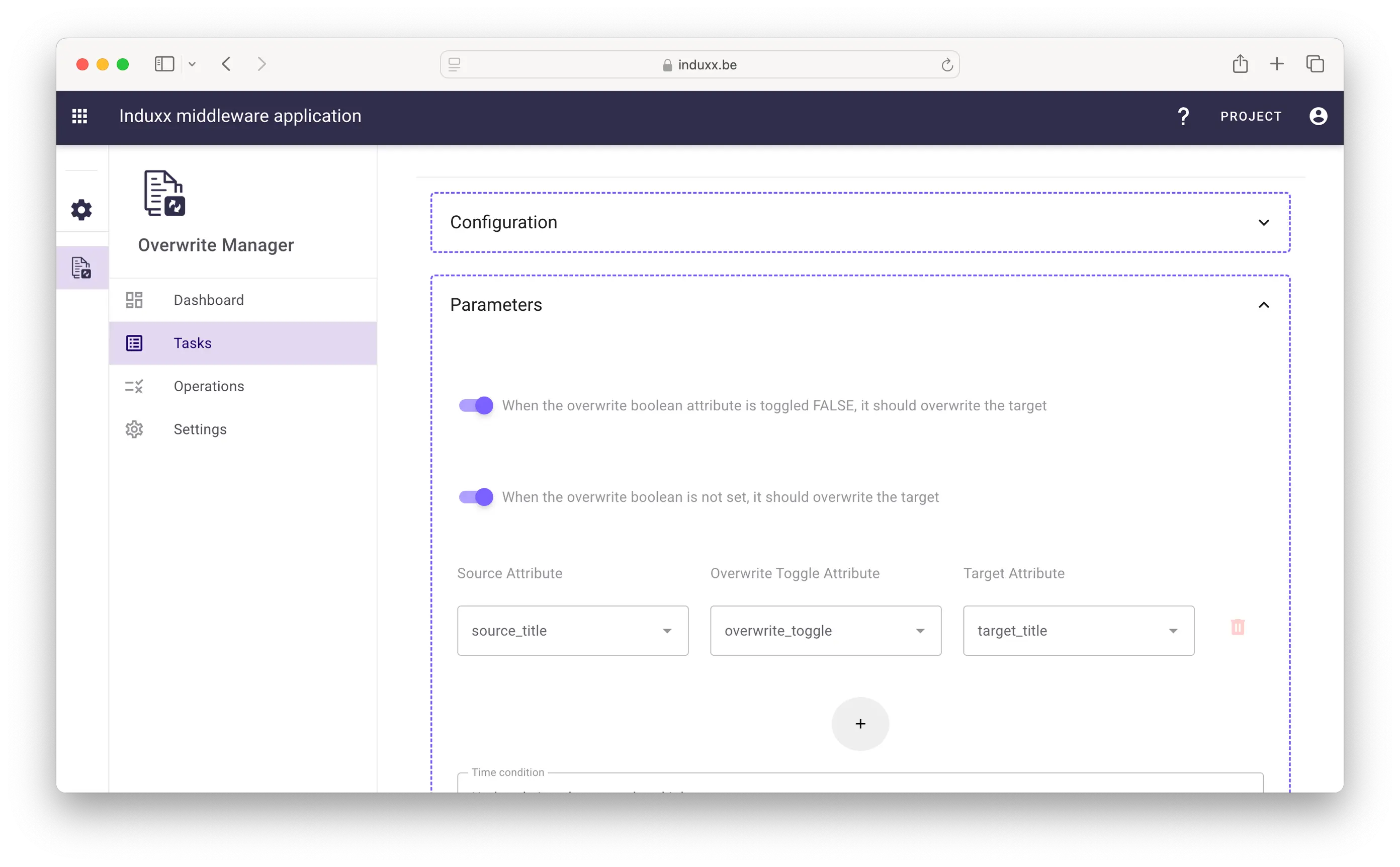
In the interface, you can create one or multiple tasks. Each task contains a source attribute, a target attribute, and a yes/no attribute that determines whether the target attribute remains synchronized with the source. Based on this configuration, it is determined which attributes stay in sync for which products.
- Flexible integration, regardless of the data sourc
- Control and define which data is overwritten
- Maintain consistent and accurate product information
- Simple UI to easily manage changes
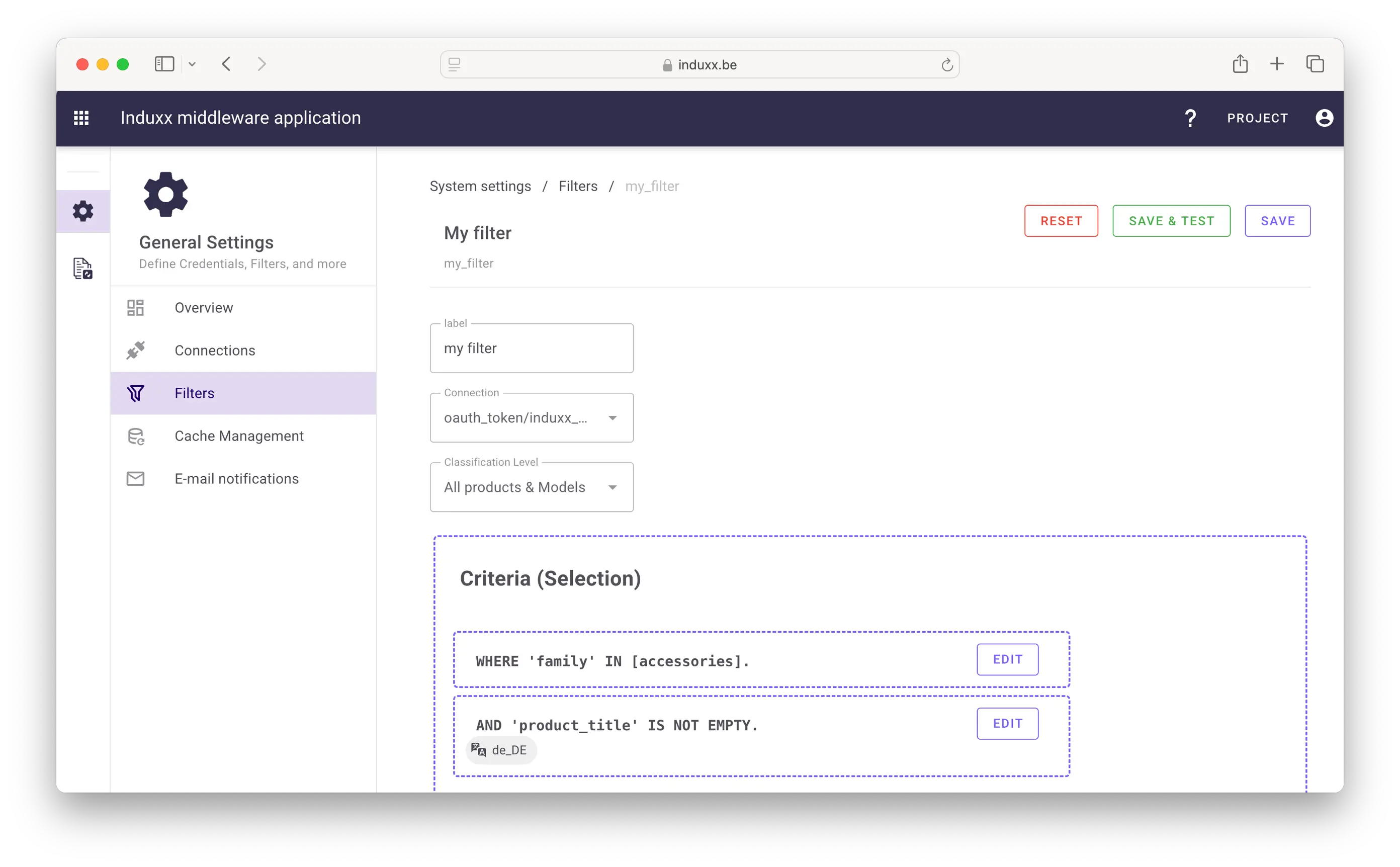
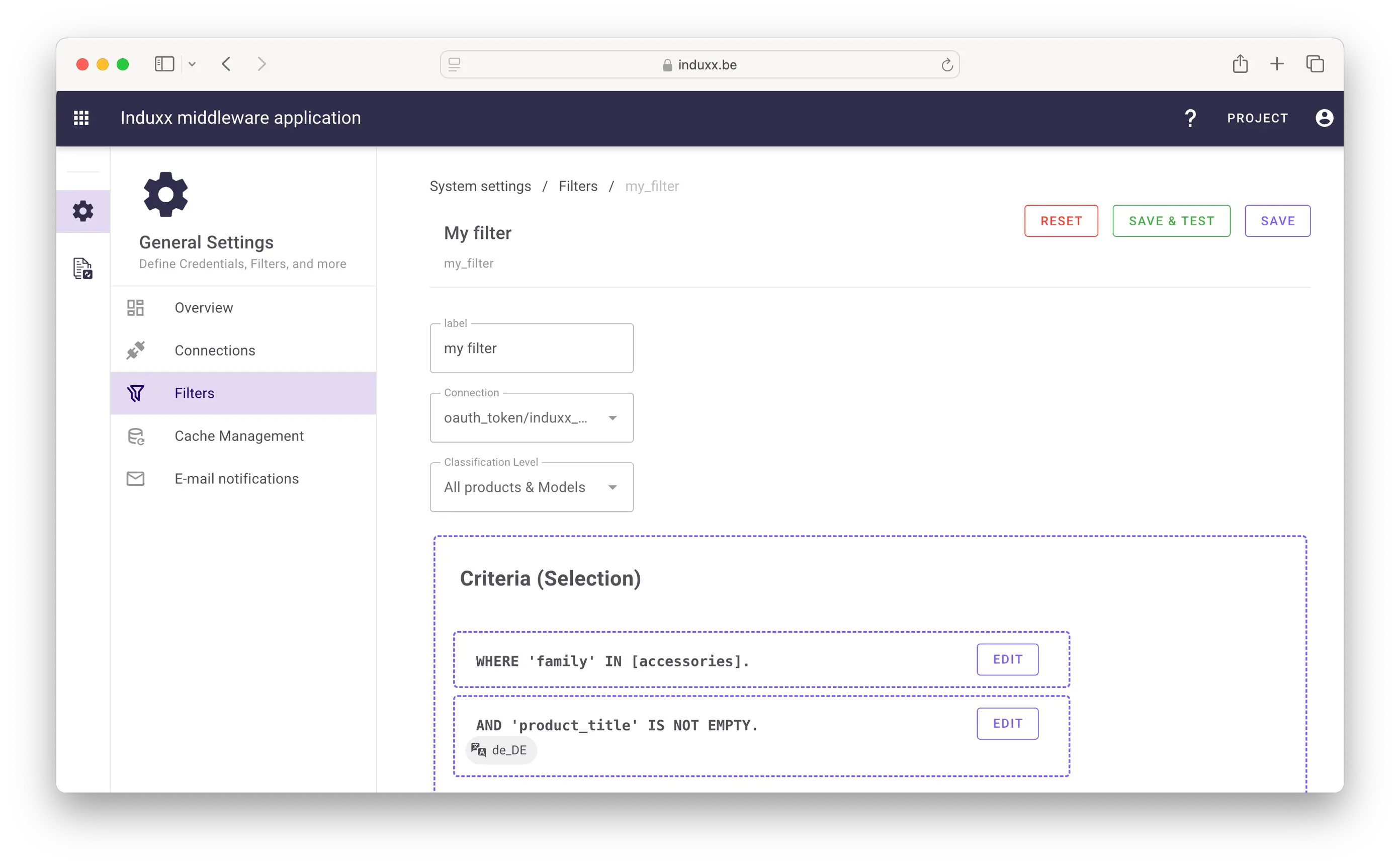
Targeted product selection with configurable filters
Precisely determine which products an overwrite task applies to with configurable filters. Set criteria based on product attributes, categories, or other conditions to select the right product range. The filters ensure that your task is only executed on the products that meet the specified criteria.
Looking for more information?
Reach out to us through the contact form below.